

Web-Based Camera Recovery Tool
Defib is a camera recovery tool for bringing bricked IP cameras back to life. It can work with UART serial connections, TFTP, and SoC boot ROM protocols used by HiSilicon, Goke, and related camera platforms.
Use Defib when a camera no longer boots normally, when you need to load U-Boot through UART, or when you want to automate repeatable recovery and flash operations.
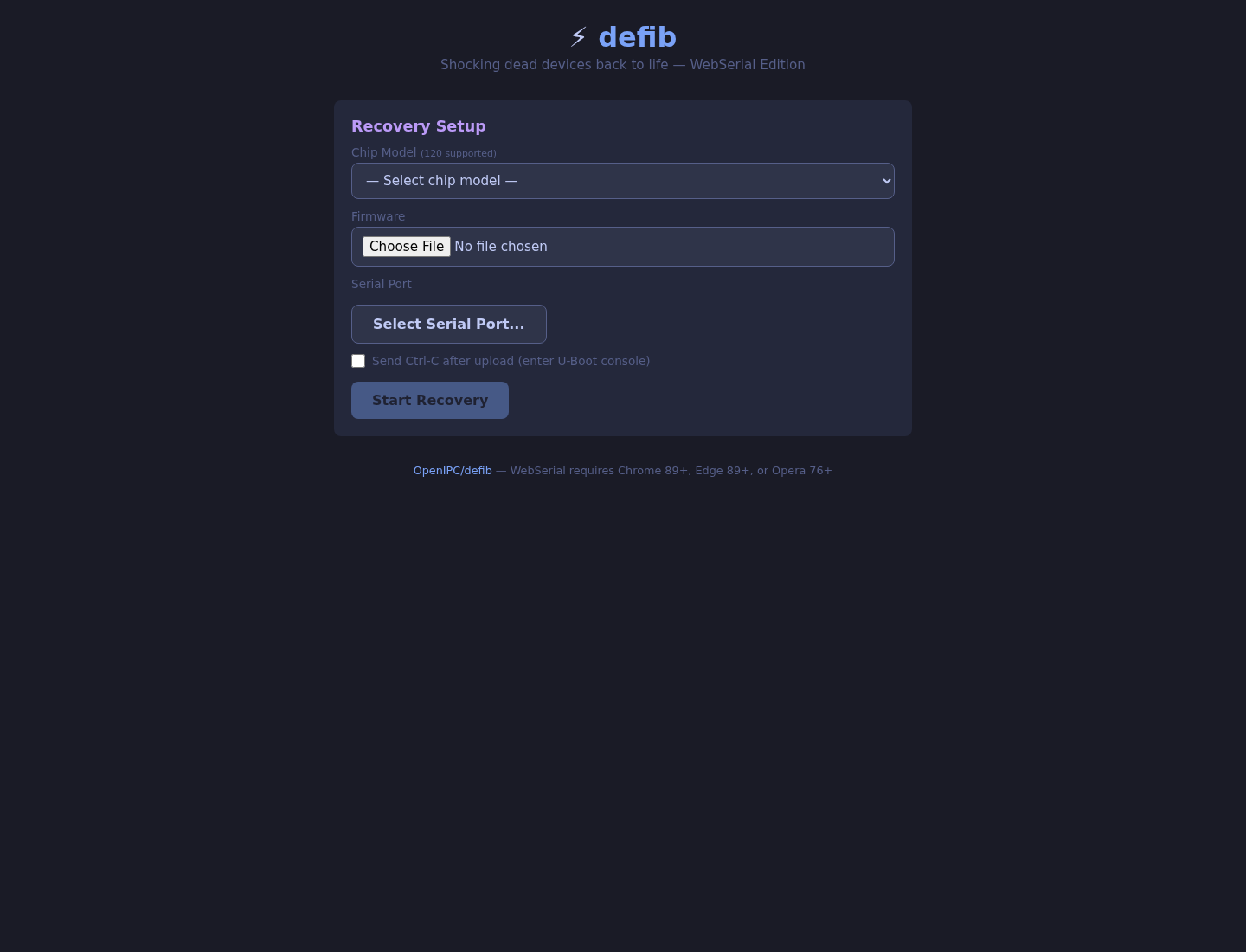
Web UI
The fastest way to try Defib is the browser-based recovery tool:
Launch Defib Web Recovery Tool
It runs directly in Chromium-based browsers that support the WebSerial API, such as Chrome, Edge, and Opera. Open the page, select the chip and firmware, connect a USB-to-serial adapter, and start the recovery process.
CLI Installation
Install the command-line tool with uv or pipx:
uv tool install defib# orpipx install defibBasic Commands
List supported chips and available serial ports:
defib list-chipsdefib portsRecover a device through UART with a raw serial device path:
defib burn -c hi3516ev300 -f u-boot.bin -p /dev/ttyUSB0Use a stable UART alias when your recovery bench has multiple adapters:
defib burn -c hi3516ev300 -f u-boot.bin -p /dev/uart-orangepi5plusStart the interactive terminal UI:
defib tuiRun network recovery through TFTP:
defib network -f firmware.bin --nic eth0For automation, request JSON output:
defib burn -c gk7205v200 -f u-boot.bin --output jsonFull Firmware Install
Defib can install a complete OpenIPC release in one command: U-Boot, kernel, and root filesystem.
defib install -c hi3516ev300 \ --firmware openipc.hi3516ev300-nor-lite.tgz \ -p /dev/uart-IVG85HG50PYA-S \ --power-cycle --nor-size 8The install flow extracts and verifies the firmware archive, downloads or reuses U-Boot, loads U-Boot through the boot ROM protocol, starts a TFTP server, flashes partitions, verifies data, saves the boot environment, and resets the device.
Flash Dump Restore
Use restore mode when you have a vendor firmware backup or a full flash dump.
Restore a directory with MTD partition files:
defib restore -c hi3516av200 -i /path/to/dump/ \ -p /dev/uart-hi3516av200 --power-cycleRestore a single NOR flash image:
defib restore -c hi3516ev300 -i flash_dump.bin \ -p /dev/ttyUSB0 --flash-type nor --power-cycleRestore an ipctool backup file:
defib restore -c hi3516av200 -i backup.bin \ --uboot /path/to/u-boot.bin -p /dev/ttyUSB0 --power-cycleDefib can auto-detect partition metadata from ipctool backup files with embedded YAML headers, so manual mtdparts input is usually not needed.
Automated Power Cycling
Defib can power-cycle devices during recovery. This helps catch short boot ROM windows and makes repeated recovery tests less manual.
The currently documented power backends are:
- MikroTik RouterOS PoE switches.
- OpenIPC Vectis UART bridge over RFC 2217.
Example RouterOS setup:
export DEFIB_POWER_TYPE=routerosexport DEFIB_POE_HOST=192.168.88.1export DEFIB_POE_USER=adminexport DEFIB_POE_PASS=
defib burn -c hi3516ev300 -p /dev/uart-IVG85HG50PYA-S --power-cycle -b
Example Vectis setup:
export DEFIB_POWER_TYPE=vectisexport DEFIB_VECTIS_HOST=172.17.32.17export DEFIB_VECTIS_PORT=35240
defib burn -c hi3516cv300 -p rfc2217://172.17.32.17:35240 --power-cycle -bFlash Agent
Defib also includes a bare-metal flash agent for high-speed flash operations. The agent is uploaded through the boot protocol, switches to a faster baud rate, streams data to flash, verifies CRC32, and reboots the device.
Flash a firmware image through the agent:
defib agent flash -c hi3516ev300 -i firmware.bin -p /dev/ttyUSB0Useful agent commands include:
defib agent upload -c hi3516ev300 -p /dev/ttyUSB0defib agent read -p /dev/ttyUSB0 -o flash_dump.bindefib agent info -p /dev/ttyUSB0defib agent write -p /dev/ttyUSB0 -i flash_dump.bindefib agent scan -p /dev/ttyUSB0Testing with QEMU
Defib can be tested against the qemu-hisilicon emulator without physical hardware.
qemu-system-arm -M hi3516ev300 -m 64M -nographic \ -chardev socket,id=ser0,path=/tmp/qemu-hisi.sock,server=on,wait=off \ -serial chardev:ser0Then recover through the QEMU socket:
defib burn -c hi3516ev300 -p socket:///tmp/qemu-hisi.sock